Summer has a way of moving quickly.
Before you know it, customers are getting back into their routines, schedules are filling up, fall events are being planned, and businesses are shifting out of summer mode and into a busier season.
For many small businesses, fall brings more activity. That might mean seasonal promotions, year-end planning, school-year schedules, community events, holiday preparation, service changes, or simply a renewed focus on getting things done before the end of the year.
That makes August a great time to pause and ask one simple question:
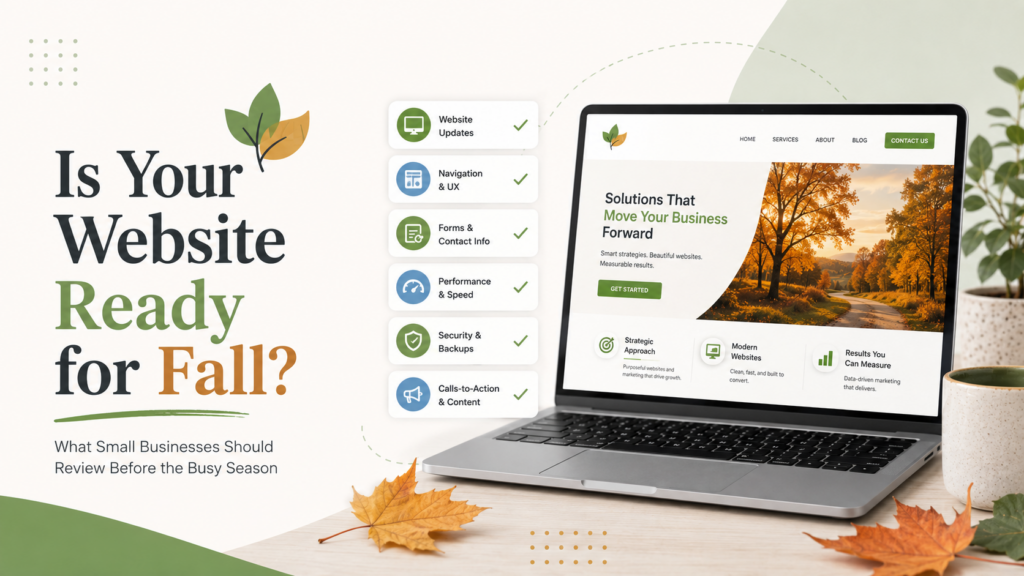
Is your website ready?
Your website is often the first place people go when they want to learn more about your business, confirm your services, check your hours, contact you, register for something, or decide whether you are the right fit. If your website is outdated, confusing, slow, or missing key information, you may be creating unnecessary friction right when people are ready to take the next step.
The good news is that preparing your website for a busy fall season does not always require a full redesign. Sometimes, a few focused updates can make a big difference.
Here are the key areas small businesses should review before fall activity picks up.
Review Your Homepage Messaging
Your homepage should quickly answer a few important questions:
- Who are you?
- What do you offer?
- Who do you help?
- What should visitors do next?
If someone lands on your website for the first time, they should not have to work hard to understand what your business does.
Before fall gets busy, take a fresh look at your homepage. Is your main message still accurate? Does it reflect your current services, priorities, and audience? Does it guide visitors toward the next step?
For example, if your business has added new services, changed focus, updated your process, or started serving a new audience, your homepage should reflect that.
Your website should not feel like a snapshot of where your business was two or three years ago. It should support where your business is now.
Update Service Information
One of the most common website issues we see is outdated service information.
Maybe a service is no longer offered. Maybe pricing language needs to be adjusted. Maybe a new service has been added but never made it to the website. Maybe your business has shifted, but the website still describes things the old way.
Fall is a great time to review your service pages and make sure everything is current.
Ask yourself:
- Are all listed services still accurate?
- Are any important services missing?
- Is the wording clear and easy to understand?
- Do visitors know how to get started?
- Are there helpful details that could answer common questions?
Your service pages should do more than list what you offer. They should help potential customers understand the value of working with you and feel confident reaching out.
Check Your Calls-to-Action
A call-to-action is what tells visitors what to do next. That might be:
- Schedule a consultation
- Request a quote
- Call now
- Send a message
- Register for an event
- Shop now
- Download a resource
- Join the newsletter
Your website may look polished, but if visitors do not know what step to take next, they may leave without contacting you.
Before the busy season, review each main page on your website. Is there a clear next step? Is it easy to find? Does the button or link work?
Strong calls-to-action help turn website visitors into real inquiries, appointments, purchases, or conversations.
Test Your Contact Forms
This one is simple, but it matters.
If your contact form is not working properly, you could be missing leads without even realizing it.
Send yourself a test message through each form on your website. Make sure the form submits correctly, the confirmation message appears, and the email notification reaches the right inbox.
Also review the form itself. Are you asking for the right information? Is it too long? Is it missing a field that would help you respond more effectively?
A contact form should make communication easier for both the visitor and your team.
Make Sure Buttons and Links Work
Broken links can create a frustrating user experience and make your website feel neglected.
Before fall activity picks up, click through your main buttons and important links. Check:
- Contact buttons
- Scheduling links
- Social media links
- Email addresses
- Phone number links
- Event registration links
- Shop buttons
- PDF downloads
- Menu items
- Footer links
If your website links to third-party platforms like Shopify, Calendly, Eventbrite, Square, or social media profiles, make sure those links still go to the correct place.
A small broken link can create a big missed opportunity.
Add or Update Fall Events, Promotions, or Seasonal Details
If your business has fall events, seasonal services, promotions, deadlines, workshops, fundraisers, or special announcements, make sure your website reflects that.
Social media posts are helpful, but they move quickly. Your website gives people a central place to find accurate information.
Depending on your business, this may include:
- Upcoming events
- Seasonal services
- Holiday ordering deadlines
- Fall promotions
- Updated office hours
- Registration links
- New product launches
- Community involvement
- Important announcements
If someone sees a social media post or email about something your business is offering, your website should support that information and make it easy to act.
Review Your Mobile Experience
Many people will visit your website from their phone before they ever view it on a desktop.
That means your mobile experience matters.
Pull up your website on your phone and review it like a customer would. Is it easy to read? Are buttons easy to tap? Does the menu work smoothly? Can visitors quickly call, email, schedule, or submit a form?
Mobile visitors are often looking for quick answers. If your website feels difficult to use on a phone, they may move on.
A strong mobile experience helps customers take action without frustration.
Refresh Photos and Visuals
Your visuals say a lot about your business.
If your website photos are outdated, low quality, inconsistent, or no longer reflective of your brand, it may be time for a refresh.
You do not always need a full professional photoshoot to improve your website visuals. Sometimes, updating a few key images can make the site feel more current and aligned.
Consider refreshing:
- Team photos
- Product photos
- Project photos
- Service images
- Homepage visuals
- Event photos
- Brand graphics
Strong visuals help build trust and make your business feel active, professional, and current.
Check Website Speed and Performance
Website speed can affect user experience, credibility, and whether visitors stick around.
If your website loads slowly, people may leave before they ever see what you offer. This is especially important on mobile devices.
Common issues that can affect speed include large image files, outdated plugins, bloated themes, poor hosting, unnecessary scripts, or lack of maintenance.
You do not need to become a technical expert, but you should pay attention to whether your website feels slow or clunky. If it does, it may be time to have someone review what is happening behind the scenes.
Make Sure Your Website Is Secure and Maintained
A website is not something you launch once and then ignore.
WordPress core files, plugins, themes, backups, security settings, SSL certificates, and hosting environments all need ongoing attention.
Regular maintenance helps reduce the risk of downtime, broken features, security vulnerabilities, and performance issues.
As you head into a busier season, the last thing you want is to discover your website has been neglected only after something breaks.
Preventative maintenance is much easier than emergency troubleshooting.
Review Your Content for Accuracy
Outdated content can create confusion and make your business look less attentive.
Take a quick pass through your website and look for anything that may need to be updated, including:
- Old dates
- Outdated staff names
- Past events
- Old promotions
- Incorrect hours
- Old service descriptions
- Outdated testimonials
- Old contact information
- Broken images
- Expired announcements
Your website should give visitors confidence that your business is active, reliable, and paying attention.
Make It Easy for Visitors to Take the Next Step
At the end of the day, your website should help people move forward.
Whether someone wants to call, schedule, request a quote, register, shop, donate, or learn more, the path should be clear.
If visitors have to search too hard, guess where to click, or wonder whether your information is current, your website may be working against you.
A well-prepared website gives people confidence.
It helps them understand your business.
It answers their questions.
It guides them to the next step.
It supports your marketing.
It works even when you are busy.
Final Thoughts
Fall can be a busy and valuable season for small businesses. Before things pick up, take time to make sure your website is ready to support that momentum.
You do not always need to start from scratch. A few strategic updates can help your website feel more current, useful, and ready for the season ahead.
Review your homepage. Test your forms. Update your services. Check your links. Refresh your visuals. Make sure your website is secure, mobile-friendly, and easy to use.
Your website should not just exist online. It should help your business grow with confidence.
At Chicklet Marketing, we help small businesses build, update, host, and maintain custom WordPress websites that support real business goals. Whether your website needs a few updates, ongoing maintenance, or a fresh start, we can help make sure your online presence is ready for what is next.